THE LEAP LABS ENGAGES WITH IMPEL, A TAMPA FLORIDA STARTUP.

Learn more

App Design

Pensando

Start-up in Silicon Valley

Client:
Enterprise Software DPU
Role:
Lead UX / UI Partner
Tools Used:
Sketch, Axure, Zeplin, Photoshop, Illustrator, Google Docs, Keynote
Year:
2017

Overview

Pensando Systems: Democratizing the Cloud
Pensando (acquired by AMD) provides a programmable DPU (Data Processing Unit) that delivers software-defined networking, storage, and security services at the server edge.
Proactive Incident Detection

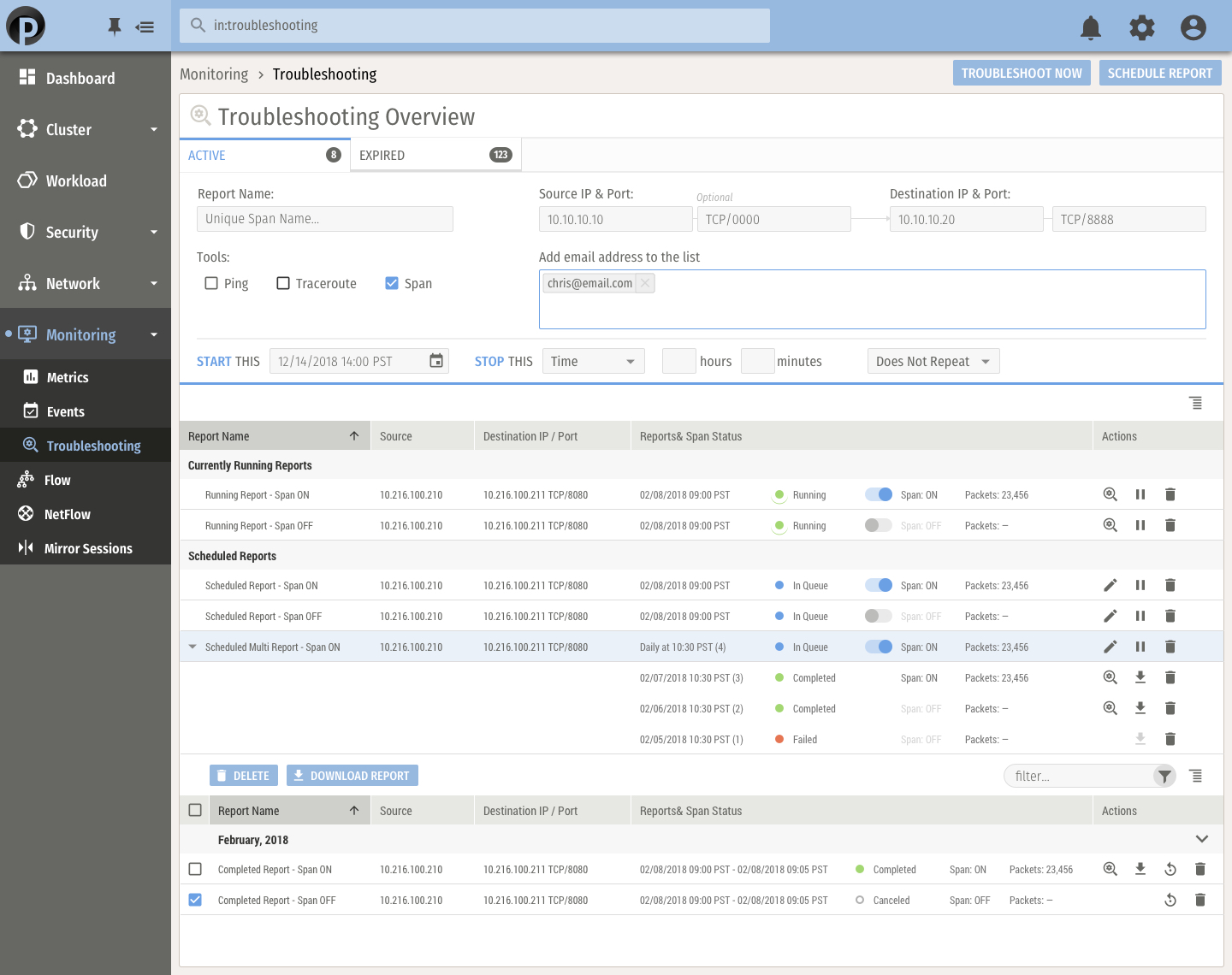
  • We designed the primary troubleshooting interface to move beyond reactive log-checking. By leveraging Pensando’s "always-on" hardware telemetry, the UI surface critical system alerts and anomalies at the server edge before they escalate into network-wide outages.

    Key Troubleshooting Features: * Threshold Alerting: Custom triggers for latency spikes or packet drops.
    • Event Correlation: Linking hardware failures directly to impacted software services.
    • Health Scorecards: At-a-glance status of Distributed Services Cards (DSCs).
  • Visualizing the "Source of Truth"

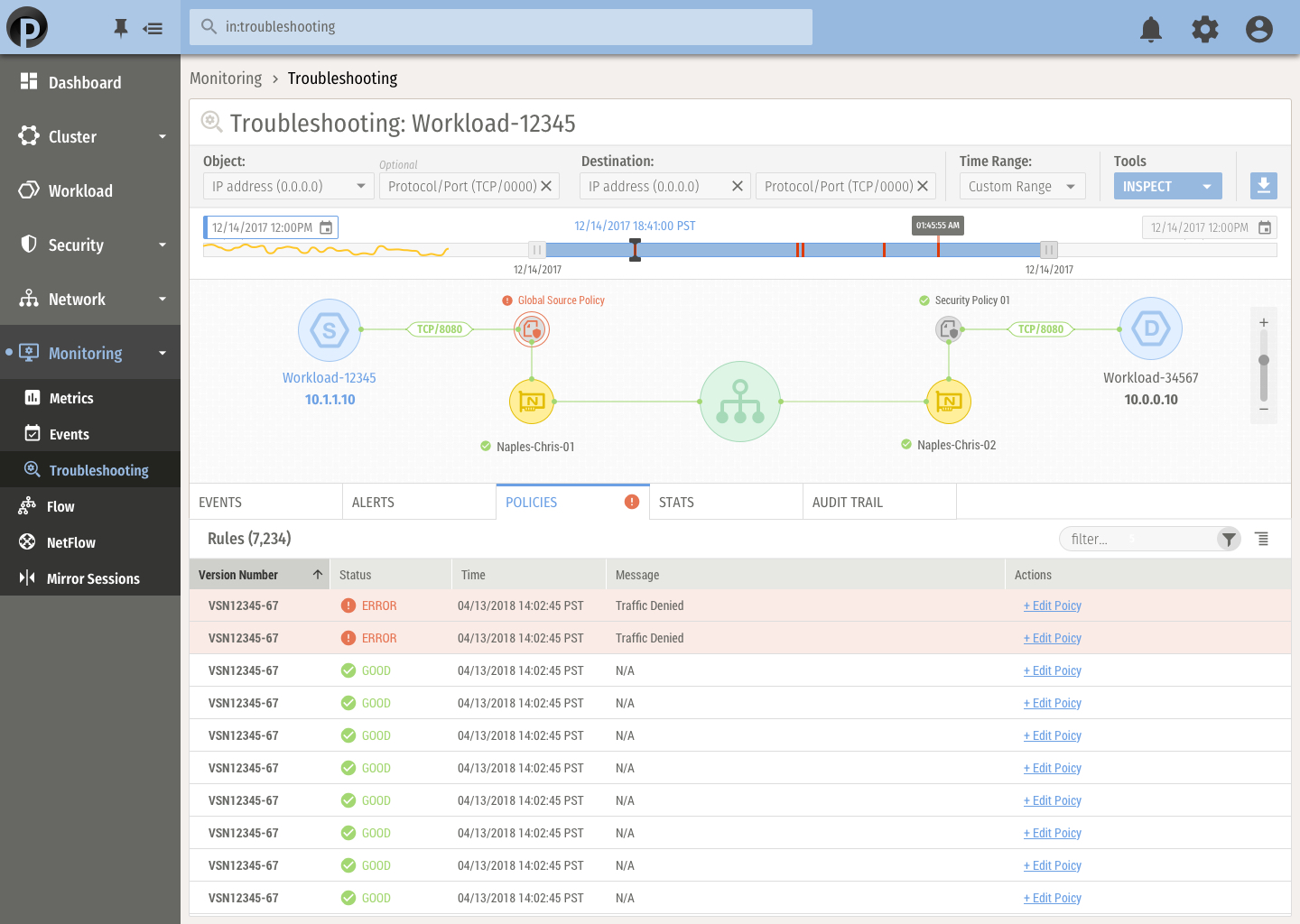
    Troubleshooting "East-West" traffic often feels like finding a needle in a haystack. This view provides a granular look at every packet flow. Designers focused on making complex metadata—like source/destination IPs, protocol types, and port behavior—readable so engineers can instantly identify blocked or misrouted traffic.

    Key Troubleshooting Features:
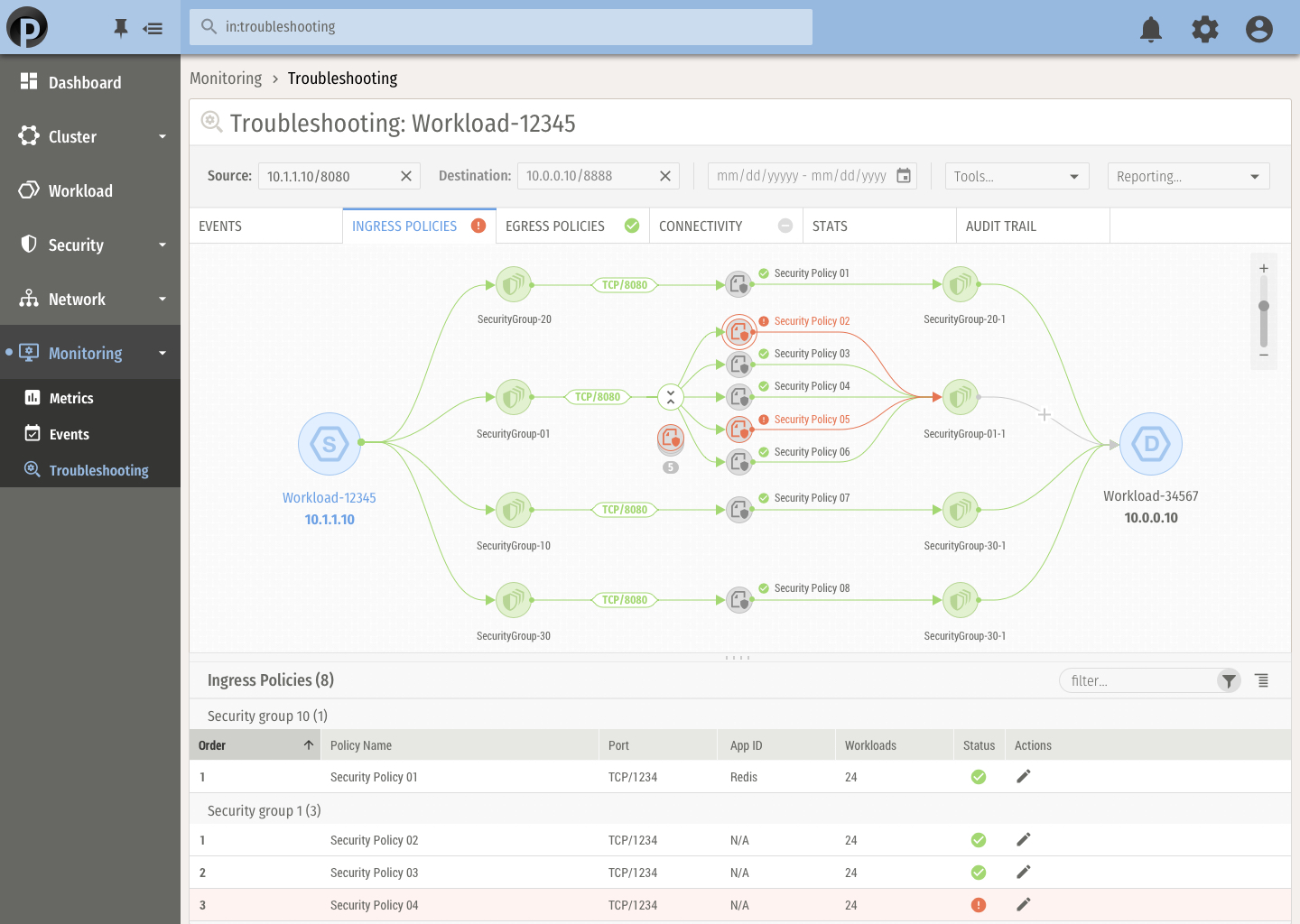
    • Bidirectional ERSPAN: Remote monitoring of traffic without impacting performance.
    • Flow Statistics: Real-time data on session duration and byte counts.
    • Drop Reason Codes: Clear labeling of why a packet was discarded (e.g., policy violation vs. congestion).

    Debugging Security & Connectivity

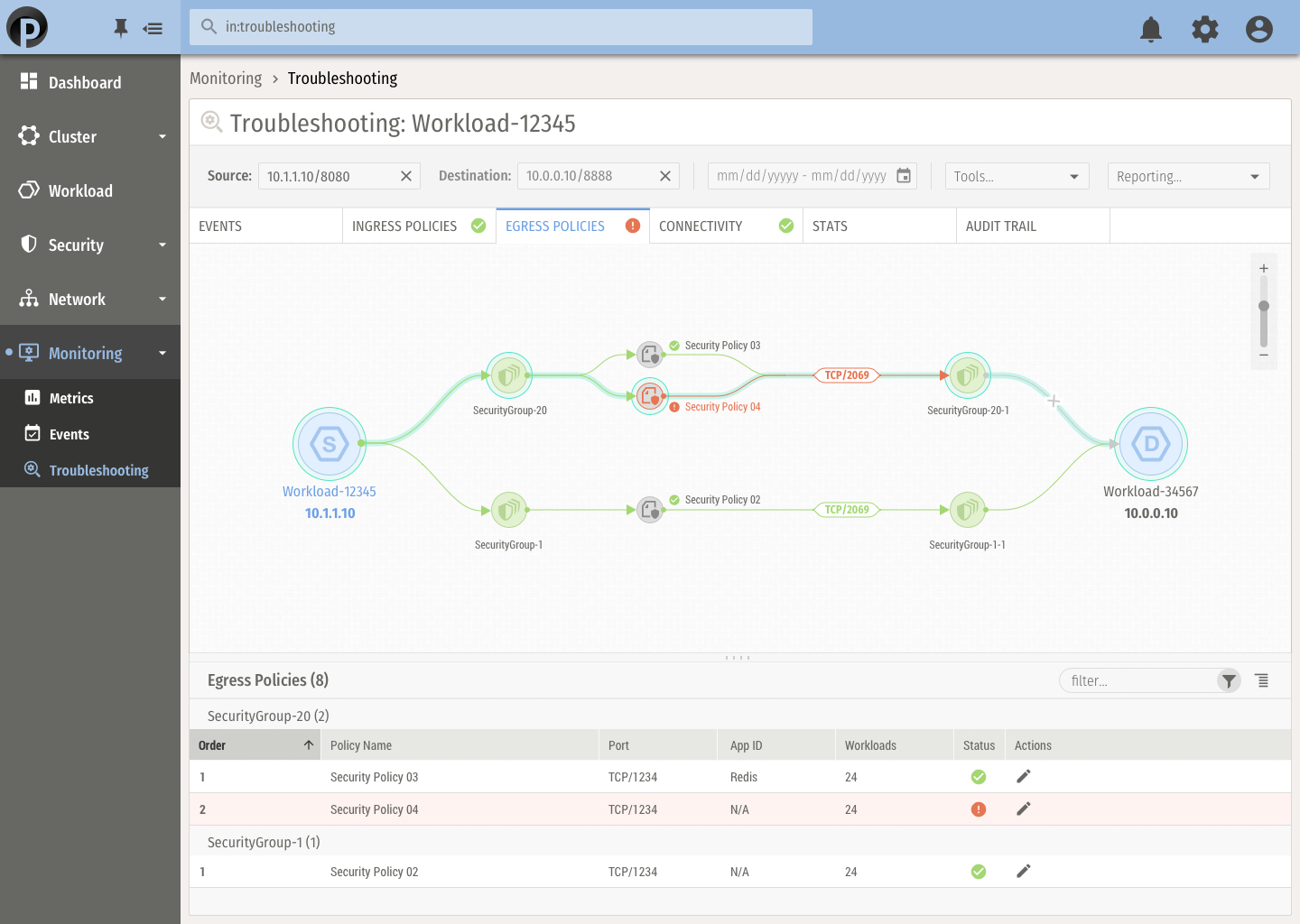
    When a workload loses connectivity, the first question is usually: "Is it the firewall?" This interface allows admins to simulate and verify policy impacts. We designed a clear "Audit vs. Enforce" toggle and log view to help users determine exactly which security rule is causing a connectivity issue.
    • Key Troubleshooting Features:
      • Rule Verification: Visual confirmation of which policy is hitting a specific flow.
      • Audit Logs: Immutable records of every configuration change for root-cause analysis.
      • Policy Simulation: Testing new rules in a "shadow" mode before deployment.

    Mapping the Distributed InfrastructureI

    To simplify troubleshooting in complex multi-tenant environments, we created an interactive topology map. This allows users to trace the logical and physical path of a data packet across switches and server nodes, identifying exactly where a "break" in the chain is occurring.

    Key Troubleshooting Features:
    • Interactive Path Trace: Visualizing the hop-by-hop journey of a workload flow.
    • Micro-Segmentation Mapping: Seeing how virtualized containers are isolated or connected.
    • Node Dependency Views: Identifying which servers are affected by a specific switch failure.